
Emergent Review 2026: Website Builder My Honest Experience After Building a Site
This Emergent Review 2026 website builder guide shares my hands-on experience after building a complete website using the platform.
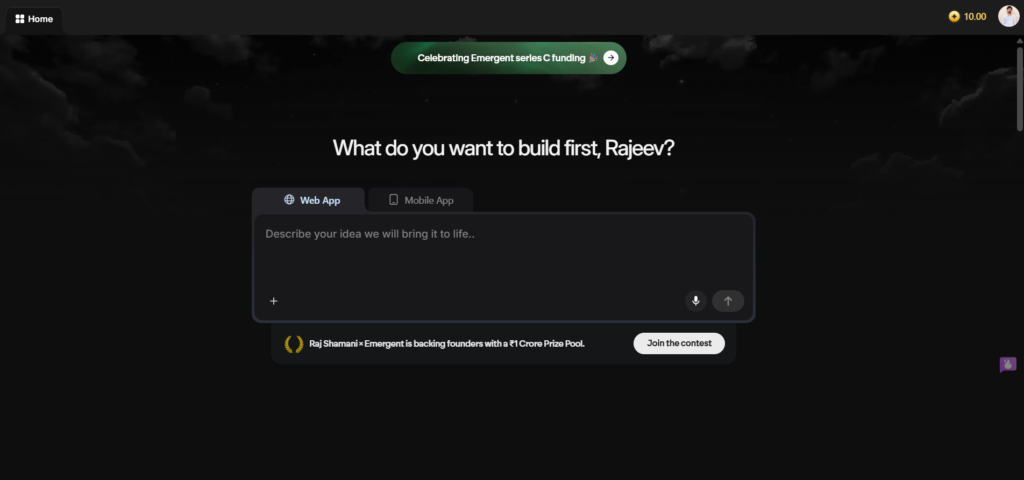
What is Emergent AI?
Emergent AI is an AI-powered website builder that generates entire websites from text prompts. Instead of hiring a designer or struggling with traditional website builders, you describe what you want, and the AI creates a functional, modern website for you.
This tool sits at the intersection of no-code solutions and artificial intelligence. You don’t drag and drop elements manually. Instead, you provide detailed instructions about your vision, and the platform’s AI interprets those instructions to build something that actually works.
The platform launched to solve a real problem: most people don’t have the technical skills, time, or budget to build professional websites. Traditional builders like Wix or WordPress require learning curves. Emergent AI shortens that timeline dramatically.
First Impressions & Sign-Up Process
Getting Started Was Remarkably Fast
I signed up using my Gmail account, and the entire process took just 10 to 20 seconds. No lengthy verification emails. No complicated form filling. Google authentication handled everything instantly.
This frictionless onboarding matters more than you’d think. I’ve tested dozens of tools that lose users in their sign-up flow. Emergent doesn’t.
The Interface Grabbed Me Immediately
The first thing that struck me was the design. At first glance, the interface looked modern, clean, and genuinely beginner-friendly. Nothing felt cluttered or overwhelming.
Instead of relying on flashy visuals, the color scheme balances professional grays with strategic pops of blue. Clear and readable typography makes every section easy to scan. Meanwhile, the layout naturally guides users toward the next action without feeling pushy.
This matters because tool design plays a major role in whether users actually complete their tasks. After all, a confusing interface can quickly kill enthusiasm.
Dashboard Overview
After logging in, I landed on a simple dashboard. The layout was straightforward: a prompt input area dominated the center, with options and settings around it.
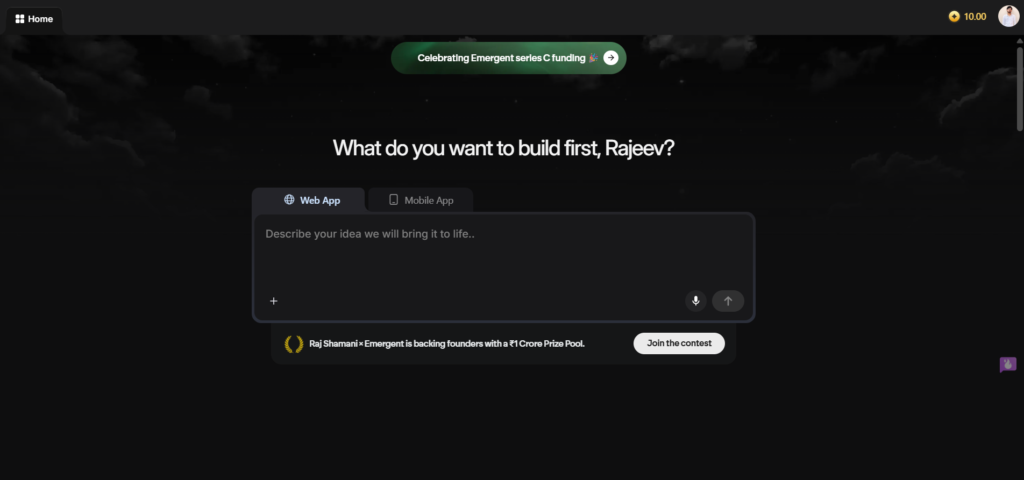
Nothing here felt unnecessary. Each element served a purpose. I appreciated that Emergent didn’t clutter the dashboard with features I didn’t need immediately.
Preparing My Prompt
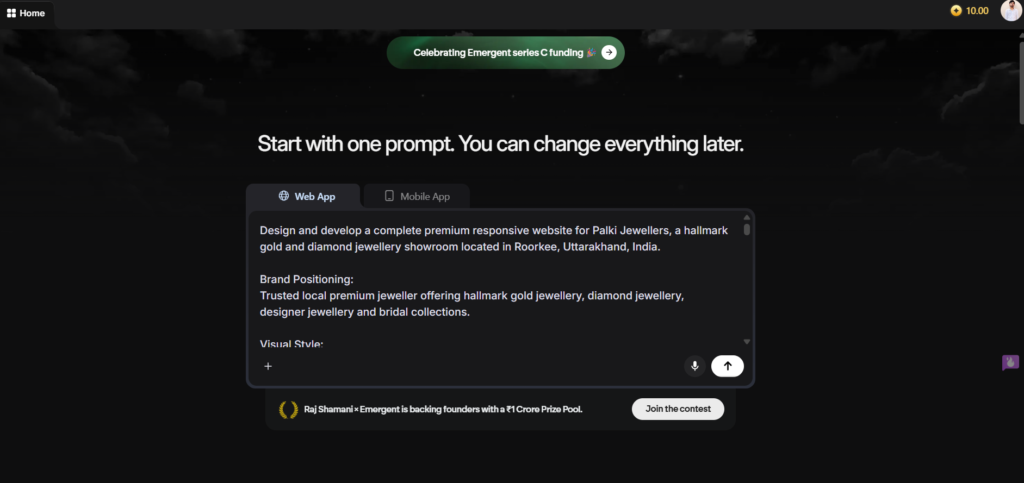
Before jumping into Emergent, I spent time creating a detailed prompt using ChatGPT. This wasn’t busy work-it actually shaped the entire outcome.
I described exactly what website I wanted: the pages needed, the tone and style, specific sections, color preferences, and functionality requirements. I made the prompt as detailed as possible because I suspected (correctly) that input quality would drive output quality.
Based on my experience, spending extra time on your prompt is worth it. Detailed and specific instructions almost always produce better results.
The Website Generation Process
Pasting and Clicking Generate
I pasted my detailed prompt into the input area and clicked Generate. Then I waited.
The generation process wasn’t instant, but it also wasn’t slow. The system showed me what it was doing a progress indicator kept me informed.
The AI Asked Clarifying Questions
Midway through generation, Emergent asked me two website-related confirmation questions. This was smart design. The AI didn’t assume it asked.
For each question, I had two options: answer manually based on what I wanted, or accept the automatic suggested answers that the AI provided.
I went with the suggested answers because they aligned with my prompt, but the option to override them felt important. It gave me control when I needed it.
The Website Built Gradually
Here’s something interesting: the website didn’t appear all at once. Instead, sections appeared progressively on my screen as the AI generated them.
First, the header and navigation showed up. Then the hero section. Then supporting content sections followed. It was like watching a designer work in real time.
This gradual reveal actually felt satisfying. I could see the structure coming together.
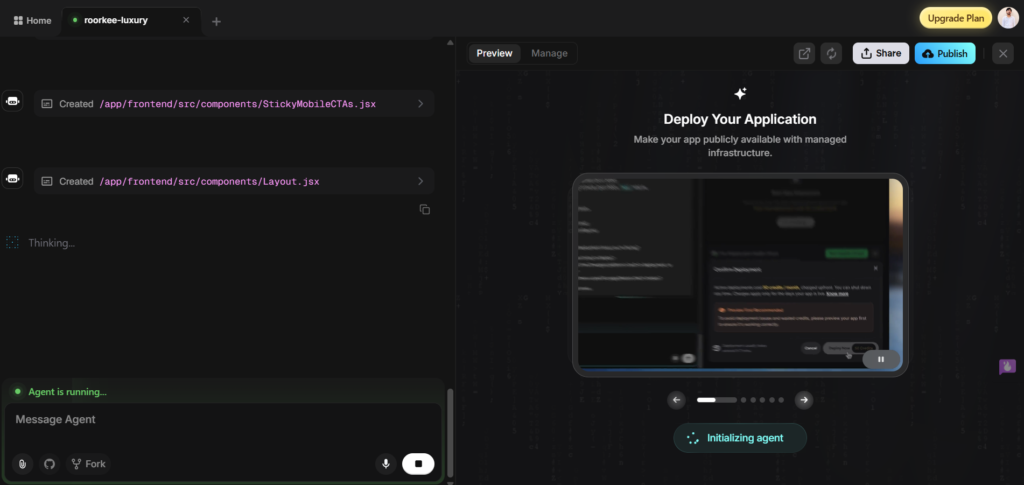
Total Generation Time: 11 Minutes and 40 Seconds
My complete website took exactly 11 minutes and 40 seconds to generate fully. Why so long? Because my prompt was detailed, and the AI was thorough.
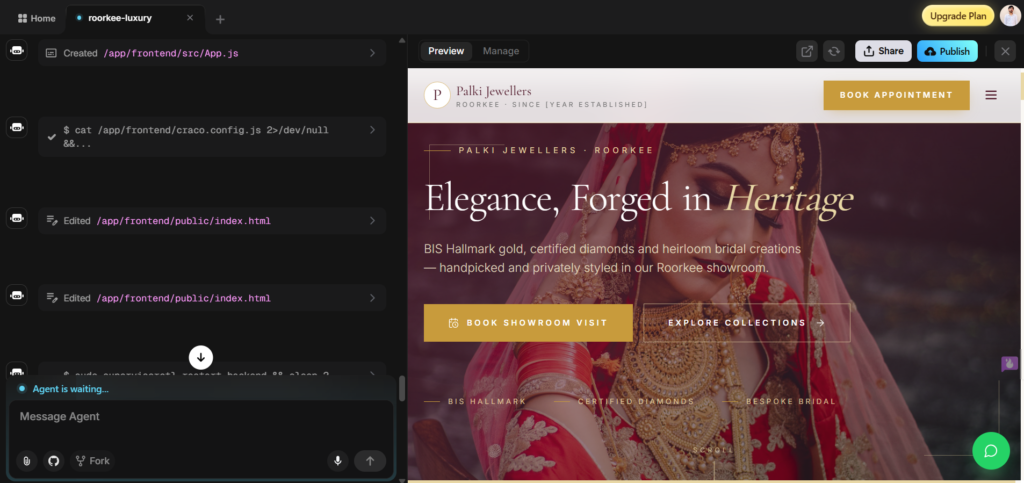
If you write a shorter prompt, generation would likely be faster. But I preferred this thoroughness over speed. The extra time meant fewer edits afterward.
Quality & Design Review
Everything Actually Worked
After generation, I carefully checked every section. This is where many AI tools disappoint—they generate something visually appealing but functionally broken.
That wasn’t my experience here. All animations ran smoothly. Buttons clicked and responded as expected. Effects played without glitching. Layouts held their structure on different screen sizes.
The website looked modern, premium, and visually impressive. I wouldn’t have guessed it was AI-generated if I hadn’t watched it happen.
The Design Details
The color palette was cohesive. Typography hierarchy made sense headings stood out, body text remained readable. Spacing felt intentional, not random.
Emergent didn’t just generate a website. It generated a website with actual design principles applied. That’s the difference between functional and delightful.
Responsiveness Testing
Desktop Experience
On my laptop, the website performed excellently.

Navigation worked smoothly. Content displayed clearly. Images scaled properly. Forms responded to interactions immediately.
Mobile Experience
I tested it on my phone expecting potential issues. I shouldn’t have.
The mobile version was fully responsive. Text remained readable without zooming. Navigation adapted intelligently, converting to a hamburger menu. Images and content reorganized themselves for the smaller screen.



This is crucial because over 60% of web traffic comes from mobile devices. A website that works on desktop but breaks on mobile fails half its audience. Emergent understood this.
How Emegent Compares
| Feature | Emergent AI | Traditional Builders (Wix/Squarespace) | Code-Based (WordPress) |
|---|---|---|---|
| Speed to Launch | Minutes (AI generation) | Hours to days | Days to weeks |
| Technical Skill Required | None (text prompt only) | Minimal (drag & drop) | High (coding knowledge) |
| Design Quality | Professional/Modern | Template-based | Fully customizable |
| Learning Curve | Flat (write a prompt) | Moderate (interface) | Steep (coding) |
| Free Trial Available | Yes | Limited (usually 7-14 days) | Yes (self-hosted) |
| Export/Download Option | Yes (paid plan) | Limited (lock-in) | Complete control |
Emergent Review 2026 Website Builder Pros and Cons
✅ Pros
- Website generated in under 12 minutes
- Professional design quality out of the box
- Fully responsive on mobile and desktop
- Beginner-friendly interface
- Free trial available for testing
- Gmail sign-up (fast authentication)
- AI asks clarifying questions
- All features and animations work properly
- Option to download as ZIP files
- Natural, AI-powered generation process
❌ Minor Drawbacks
- Paid plan required to download/export
- Paid plan needed to publish directly
- Free trial is testing-only
- AI-generated content might need tweaking for your brand voice
- Limited customization after generation (requires coding knowledge)
- Not ideal if you want complete design control
Emergent Review 2026 Website Builder Pricing
I generated my website using the free trial. Here’s what you need to know about Emergent pricing structure:
The free trial is excellent for testing. You can generate websites and see what the platform produces. However, it comes with restrictions: you can’t download your website or publish it live without upgrading.
For actual use-downloading files or publishing directly-you’ll need a paid plan.
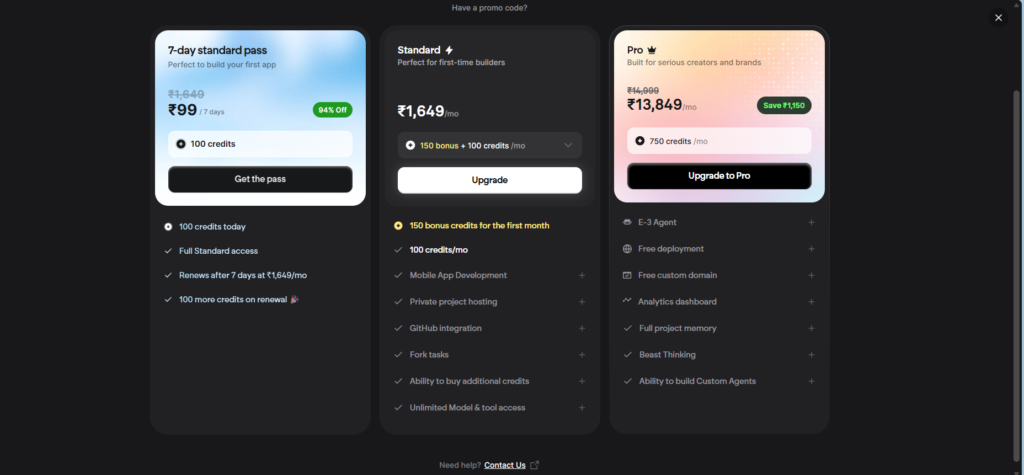
The paid plans range from basic (one-time generation) to premium options with multiple generations and priority support. Most small business owners find the mid-tier plan suitable.
If you’re serious about launching your website, budget for the paid tier. The pricing is reasonable for what you’re getting: a professional website built in minutes rather than weeks.
How to Make Your Website Live
Step 1: Download the Website Files
After upgrading to a paid plan, download your website as ZIP files. Emegent packages your entire website into a downloadable archive that contains all HTML, CSS, JavaScript, and media files.
HOSTINGER
Step 2: Buy Hosting
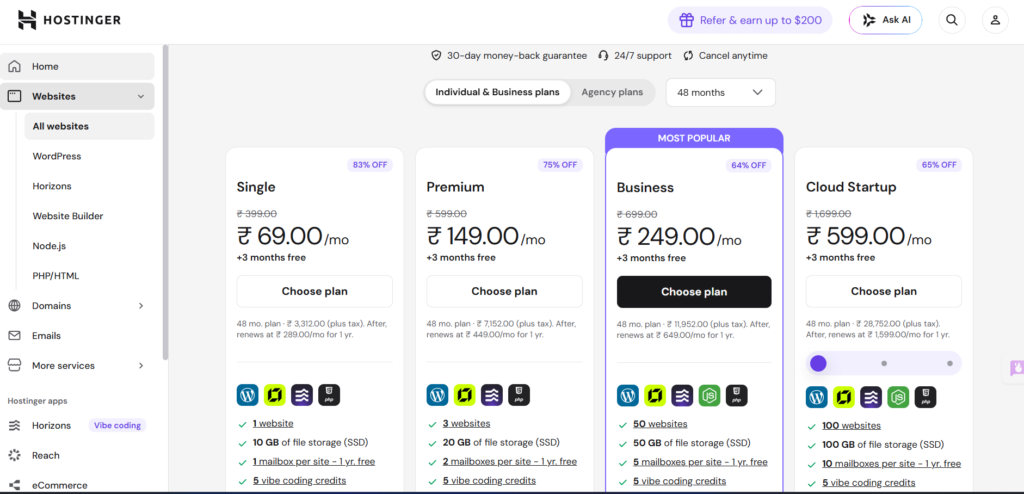
I recommend Hostinger for beginners. They offer affordable hosting plans with excellent uptime. Other reliable options include Bluehost, SiteGround, or DreamHost.
Choose a hosting plan that matches your expected traffic. For most small websites, the basic plan is sufficient.
Step 3: Register or Connect a Domain
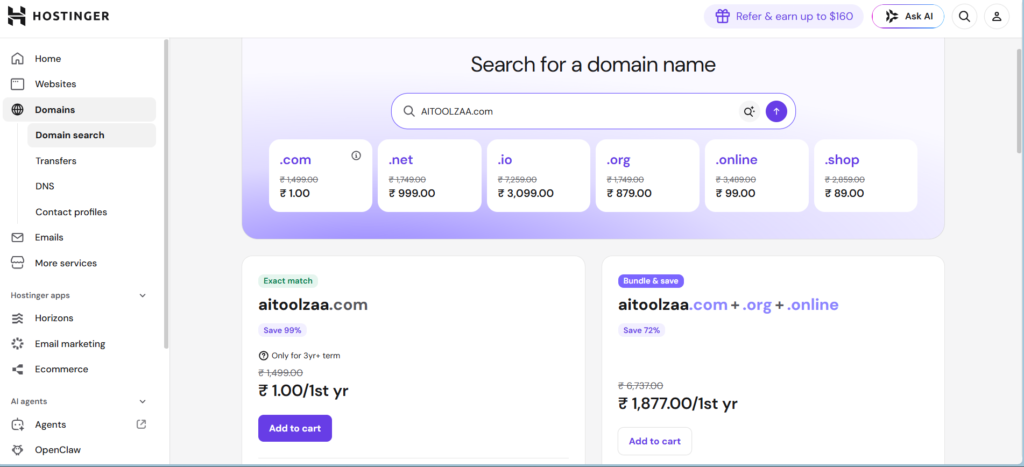
You need a domain name (like yourname.com). You can register it through Hostinger when purchasing hosting, or use an existing domain if you already own one.
Connecting an existing domain to your hosting takes minutes through your domain registrar’s control panel.
Step 4: Access the File Manager
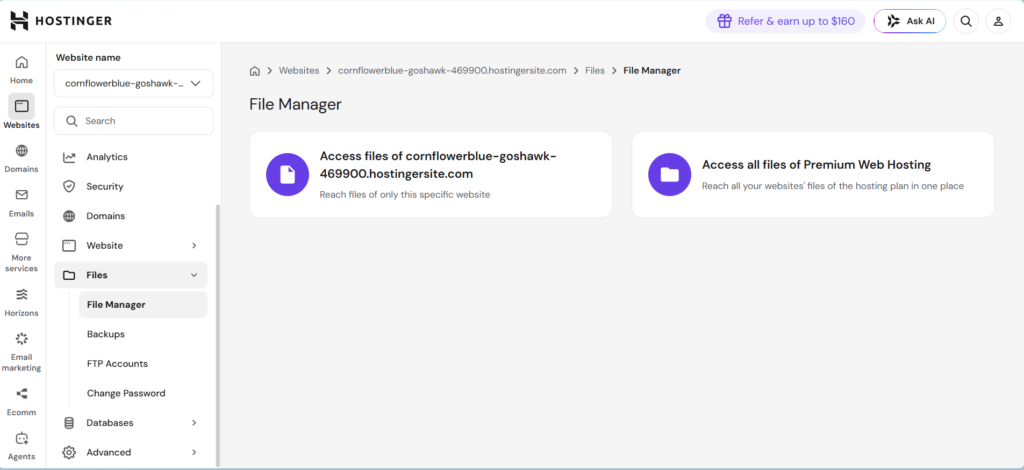
Log into your hosting account and open the File Manager. This tool lets you upload files to your web server.
Navigate to the public_html folder or your website’s root directory.
Step 5: Upload and Extract Your Website
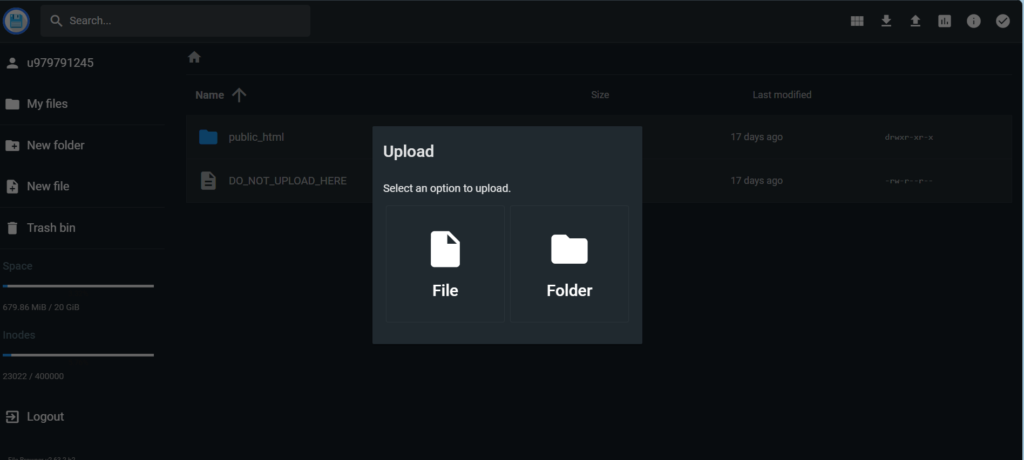
Upload the ZIP file you downloaded from Emegent into your hosting account. Then extract the ZIP file directly in your hosting’s file manager.
The extraction process unpacks all your website files into the correct directory structure.
Step 6: Your Website Goes Live
That’s it. Once extraction completes, your website becomes live. Visit your domain name in a browser, and your Emergent-generated website appears exactly as it did in the preview.
No coding required. No complicated deployment processes. Just upload, extract, and launch.
Frequently Asked Questions
Q: Is Emergent AI suitable for beginners?
A: Absolutely. The entire process from sign-up to website generation requires no technical skills. You write a prompt in plain English, and the AI handles the rest. Even someone who’s never built a website can launch one with Emergent.
Q: How accurate are the AI-generated websites?
A: Based on my experience, very accurate if your prompt is detailed. The AI understands most requirements and translates them into functional designs. Your prompt quality directly impacts output quality.
Q: Can I edit the generated website afterward?
A: Yes, but editing requires HTML/CSS knowledge unless you’re making simple changes through a hosting control panel. For major customizations, you’d need coding skills or hire a developer.
Q: Is the free trial actually free?
A: Yes. The free trial lets you generate and preview websites without paying. You just can’t download or publish them until you upgrade to a paid plan.
Q: How long does website generation take?
A: My detailed website took 11 minutes and 40 seconds. Shorter prompts might generate faster. Longer, more complex requirements might take additional minutes. Overall, expect 5-20 minutes depending on complexity.
Q: What happens if I’m not happy with the generated website?
A: Generate again with a revised prompt. The AI learns from your feedback through clarifying questions. You can iterate multiple times until you’re satisfied.
Q: Do I own the website I create with Emergent?
A: Yes. Once downloaded, the website files are yours. You host them on your own server or hosting account. Emergent doesn’t hold your website hostage.
Q: Can I use Emergent for client projects?
A: Yes, many freelancers and agencies use Emergent to build client websites quickly. The final deliverable belongs to your client, just like any other website you create.
Q: Is there customer support if something goes wrong?
A: Emergent offers customer support through their paid plans. Response times and support quality depend on your plan tier.
Final Verdict & Rating
Emergent AI Website Builder
⭐ 4.7 / 5.0
Highly Recommended for Beginners & Small Business Owners
Emergent AI delivers exactly what it promises: a fast, AI-powered way to build professional websites without coding or design skills. My personal experience confirmed that the platform works as advertised.
Throughout the generation process, everything ran smoothly. Even better, the output quality exceeded my expectations. On top of that, the website performed flawlessly on both desktop and mobile devices. Overall, the entire experience felt intuitive and beginner-friendly.
The only noticeable limitation is that downloading and publishing require a paid plan, which feels reasonable for a service this powerful. After all, you’re getting a professional website in minutes instead of spending weeks building one manually, making the investment worthwhile.
If you need a website quickly and don’t want to learn traditional builders or hire expensive designers, Emergent AI is your answer. It’s the closest thing to “website in a box” that actually works.
Key Takeaways
- Speed: Generate professional websites in under 15 minutes
- Quality: AI-generated designs look modern and premium, not templated
- Ease: No coding or design skills required—just write a detailed prompt
- Responsiveness: Websites work perfectly on mobile, tablet, and desktop
- Ownership: You own and control your website files
- Value: Free trial available to test before committing
- Support: AI clarifying questions during generation improve results
Who Should Use Emergent AI?
Perfect fit: Freelancers, solopreneurs, small business owners, bloggers, consultants, and anyone who needs a website quickly without hiring expensive designers or developers.
Not ideal for: Large enterprises requiring extensive customization, developers who want complete code control, or organizations needing complex backend systems beyond website generation.
Final Thoughts
Building my website with Emergent AI taught me something important: AI tools have matured beyond gimmicks. This isn’t a toy. This is a legitimate alternative to traditional web design approaches.
The experience was genuinely enjoyable. There were no frustrations, no confusing steps, no “why isn’t this working?” moments. From sign-up to finished website took less than half an hour of actual interaction time.
If you’ve been putting off building a website because it seemed too complicated or expensive, Emergent AI removes that excuse. The platform is ready. The AI works. All you need is a clear description of what you want.
That’s the real story here: democratizing website creation. Emergent delivers on that promise better than most tools I’ve teste