
Hostinger Review 2026: My Honest Verdict After 8 Months of Real Use
Eight months ago, I sat down with a laptop, a half-formed idea, and zero clue about hosting. I knew I wanted a website. I did not know what “shared hosting” even meant.
If that sounds familiar, good. This review is for you.
I’m not a professional hosting reviewer, and Hostinger isn’t paying me to recommend its service. I’m simply someone who spent time researching different hosting platforms before making a decision. After choosing Hostinger’s Business plan, I built my website, made plenty of mistakes, fixed them, and continued working on it for the next eight months. That hands-on experience has given me enough insight to share what I genuinely think about Hostinger.
Why I Even Needed Hosting In The First Place
- A domain and hosting bundled together
- Easy WordPress installation
- SSL security without extra hassle
- Backups I didn’t have to configure manually
- Decent speed
- Support that actually responds
- Analytics to track what’s working
Before picking a host, I had to admit something to myself: I knew a little about WordPress, but not enough to make confident decisions.
Notice what’s missing from that list? “Cheapest possible price.” I wanted value, not just a low number on a checkout page. That distinction matters more than most beginners realize.
- Analytics to track what’s working
Notice what’s missing from that list? “Cheapest possible price.” I wanted value, not just a low number on a checkout page. That distinction matters more than most beginners realize.
How I Actually Compared Hosting Providers
I didn’t pick Hostinger because a random Instagram ad told me to. I went the long way — Google, Bing, YouTube, forums, comparison sites, the works. I read good reviews. I read bad ones too, because a company with zero complaints anywhere is usually more suspicious than reassuring. isko bhi
One pattern kept repeating: Hostinger showed up again and again in beginner-focused discussions. Not just in paid ads in genuine “which host did you use for your first site” threads.
I also paid attention to who was recommending it. Complaints from advanced developers running high-traffic enterprise stores didn’t worry me much that wasn’t my situation. What mattered more were beginners describing setups close to mine: first WordPress site, limited technical background, tight budget, wanting to learn without wrestling the platform itself. Their feedback carried more weight for my decision than a generic five-star badge ever could.
Why I Chose Hostinger’s Business Plan (Not The Cheapest One)
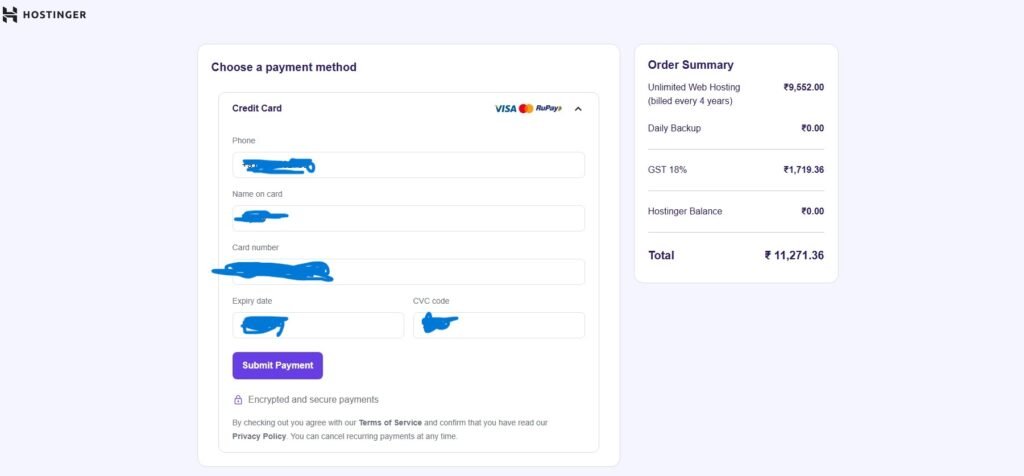
Here’s where a lot of beginner guides mislead people: they tell you to “just get the cheapest plan.” I didn’t.
I looked at what I actually wanted to build — not just one website, but potentially several, over several years. So I went with Hostinger’s Business plan, and I committed to it for four years.
Was that a leap of faith? A little. But my logic was simple:
- I wanted room to build multiple websites later, not just one.
- I wanted stronger resources than the entry-level plan offered.
- I wanted daily backups without paying separately for them.
- I didn’t want to think about renewal every few months while I was still learning.
If you’re building one small personal blog and nothing else, you probably don’t need what I bought. Buy according to your plan, not your excitement. (Excitement fades. Hosting invoices don’t.)
Signing Up: Fast, Not Painful
I braced myself for a confusing setup process. That’s usually how tech purchases go — you pay, then you suffer.
That didn’t happen here.
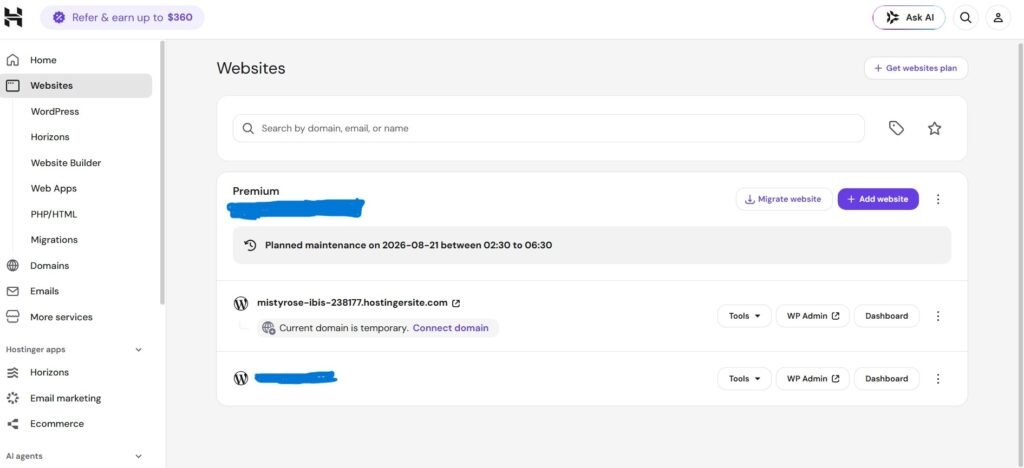
After checkout, I received account access almost immediately by email. No waiting around, no manual verification delays, no calling anyone. I logged into the dashboard and started exploring the same day.
For someone who wasn’t a developer, that mattered. The first hour with a new tool usually decides whether you keep going or give up. Hostinger’s onboarding didn’t give me a reason to quit.
Exploring The Website-Building Options
Once inside, I didn’t rush straight to WordPress. I explored what was available first, because I wanted to understand my options before locking myself into one method.
I tried:
- WordPress (my main plan from the start)
- Pre-built templates
- Hostinger’s AI website builder, mostly out of curiosity
This flexibility turned out to be genuinely useful for a beginner. I wasn’t boxed into one workflow. I could experiment, compare, and then commit to WordPress once I confirmed it fit what I wanted to build.
If you’re someone who freezes up when given too many choices — don’t worry. You can ignore the extra tools completely and go straight to WordPress. Nobody forces you to use the AI builder.
Setting Up WordPress: The Part I Actually Cared About
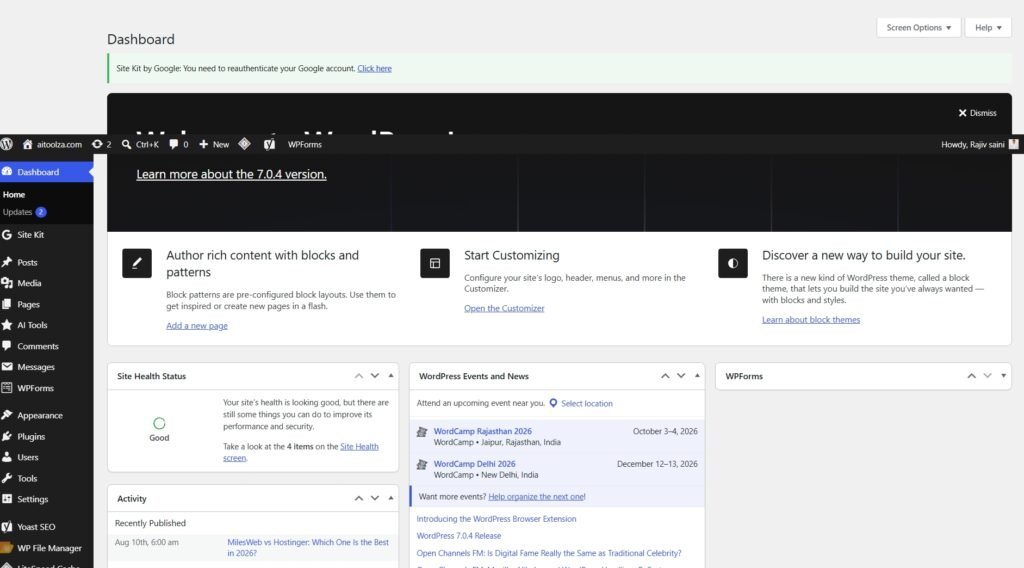
WordPress was always the plan. I already had some familiarity with it, so an easy installation process was non-negotiable for me.
Hostinger’s WordPress setup was straightforward. A few clicks, a short wait, and WordPress was ready to go — no manual file uploads, no digging through cPanel-style menus trying to find the right button.
From there, I got to work: themes, plugins, pages, my first blog post.
This is the part that matters most for beginners. Your first day with hosting should not feel like a fight with your own dashboard. Mine didn’t. I spent my energy on content, not troubleshooting.
The Eight-Month Reality: What Actually Happened
Here’s the honest part. Not the polished marketing version — the real one.
Over eight months, my hosting kept working in the background while I focused on the actual work of building a website: writing, formatting, testing, fixing my own mistakes (plenty of those), and slowly learning SEO.
I didn’t experience outages that stopped my progress. I didn’t have to abandon a project because the hosting failed me. That’s a low bar, technically, but it’s also the only bar that matters when you’re trying to build momentum as a beginner.
A quick honest note on support: I reached out to Hostinger’s support a handful of times over these eight months, mostly for setup and configuration questions rather than emergencies. Each time, I got a response through live chat without needing to escalate to email support and wait days for a reply. For someone still learning, having that safety net available made a real difference — I wasn’t stuck Googling error messages alone at midnight.
Did Hostinger Make My Website Rank On Google?
I need to be blunt here, because a lot of hosting reviews dodge this question or imply something misleading.
Hosting does not rank your website. Full stop.
Your host is infrastructure. It’s the foundation, not the furniture, and definitely not the interior design. Ranking depends on things that have nothing to do with your hosting provider:
- Content quality and depth
- Keyword targeting and search intent
- On-page SEO structure
- Internal linking
- Backlinks and domain authority
- Technical SEO (speed, crawlability, mobile usability)
- Consistency over time
- Competition in your niche
I spent far more hours over these eight months learning SEO than I spent thinking about my hosting dashboard. That’s how it should be.
What Hostinger did give me was a stable environment to actually do that work — reliable uptime, decent loading speed, and tools that didn’t get in my way. That’s the honest, non-inflated role hosting plays in your growth.
Anyone telling you “I switched hosts and suddenly ranked #1” is either leaving out the real reason (usually months of content and SEO work) or selling you something.
Speed And Performance: What I Actually Noticed
I’ll be upfront about something most reviews gloss over: I never ran formal load-testing tools like GTmetrix or Pingdom on my own site. I’m not going to pretend I did, and I’m not going to hand you a fake “0.8 second load time” number just because it sounds impressive.
What I can tell you is what I experienced day to day. My pages loaded quickly enough that I never felt like speed was holding my content back. Visitors didn’t complain, bounce rates didn’t spike in a way I could trace back to loading issues, and Google’s own PageSpeed feedback stayed in a reasonable range as I optimized images and cleaned up plugins.
Was some of that credit mine, not Hostinger’s? Absolutely. Compressing images and avoiding fifteen unnecessary plugins matters just as much as the server underneath you. Hosting sets the ceiling; how you build your site decides how close you get to it.
If raw benchmark numbers matter to you, third-party testing sites that run repeatable speed tests — rather than a single beginner’s anecdote — are a better source than any single blog post, including this one.
Security And SSL: One Less Thing To Worry About
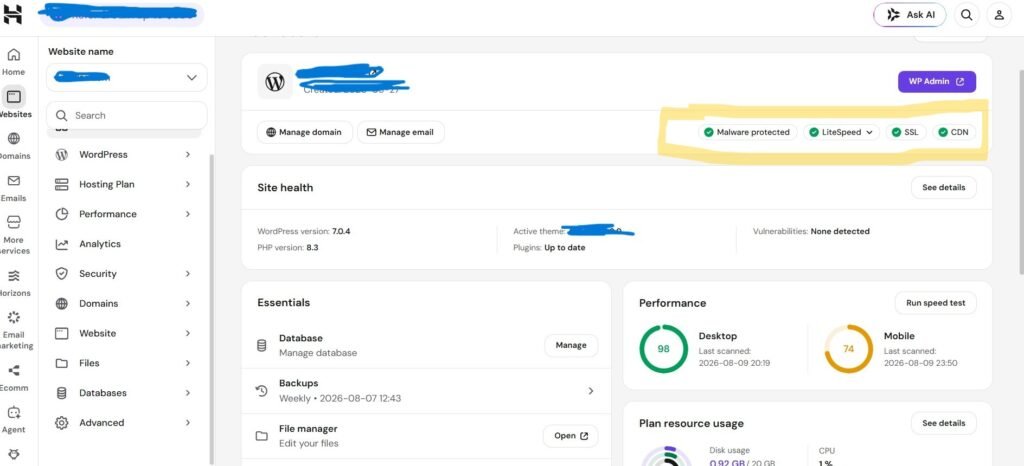
Early on, I decided a professional-looking website needed to look secure, not just be functional. An SSL certificate — the thing that turns “http” into “https” and shows that padlock icon — was part of that.
Hostinger included SSL as part of the hosting setup. I didn’t have to separately shop for a certificate, install it manually, or troubleshoot a broken connection between my domain and a third-party SSL provider.
Small thing on paper. Big relief in practice, especially in week one when everything else already feels unfamiliar.
What I Genuinely Liked After 8 Months
Let me lay out what stood out, without exaggerating any of it:
1. Beginner-friendly from day one I didn’t need a technical background to get a working website online.
2. Smooth WordPress integration Installation was fast, and I never fought with basic setup issues.
3. Room to grow with multiple websites The Business plan gave me space to expand beyond a single site later, without switching providers.
4. Backups without extra configuration Knowing backups were running gave me confidence to experiment without fearing I’d lose months of work.
5. Flexibility in how I built things WordPress, templates, or the AI builder — the choice stayed mine.
6. Responsive support when I needed it Not flawless, but present and useful, which is more than I can say about some other services I’ve read about.
What I’d Flag As A Downside (Because Balance Matters)
No honest review skips the negatives, so here’s mine, based purely on my own experience — not a copy-paste list from another site.
- Renewal pricing increases after the introductory term. This is common across the hosting industry, not unique to Hostinger, but it’s worth planning for before you buy a long-term plan.
- Multi-year commitment requires real intent. Four years is a serious commitment if you’re not sure you’ll stick with your project. Don’t buy long-term plans on impulse.
- You’ll still need to learn SEO yourself. Hosting won’t do that part for you, and if you’re expecting it to, you’ll be disappointed regardless of which provider you choose.
None of these are dealbreakers for me personally, but they’re the kind of details a beginner deserves to know upfront instead of discovering at renewal time.
Would I Choose Hostinger Again?
Yes — but with a condition attached, because “yes” without context isn’t useful advice.
I’d choose Hostinger again for my specific situation: someone planning multiple websites, wanting solid resources, and comfortable committing long-term for lower ongoing costs.
If your situation is different — say, one small hobby blog with no plans to expand — you may not need the same plan I bought. Match the plan to your actual project, not to what sounds impressive.
That’s not a cop-out answer. It’s the same logic I used eight months ago, and it held up.
Frequently Asked Questions
Based on my own experience, yes. The setup process, WordPress installation, and dashboard were all manageable without prior technical knowledge. That said, “good for beginners” describes ease of use — not a guarantee of results.
No hosting provider does that on its own, and Hostinger is no exception. Rankings depend on content quality, SEO, and consistency. A reliable host simply removes technical obstacles that could otherwise slow that work down.
Only if your needs match it. I chose it because I wanted multiple websites and stronger resources long-term. A single small blog likely doesn’t need the same plan.
Renewal pricing. Introductory rates are lower than what you’ll pay once the initial term ends, which is standard across most hosting companies, not just Hostinger. Check the renewal cost before committing to a long-term plan.
No outages that disrupted my work during this period. That’s a personal, time-boxed observation, not a guarantee of future uptime — always worth checking a provider’s current uptime data before buying.
My Final Verdict After 8 Months Of Real Use
Eight months ago, I was stuck on one question: which hosting provider should host my first real website?
I researched properly instead of guessing. I compared plans against my actual needs. I picked Hostinger’s Business plan for four years, installed WordPress, experimented with website builders, published content, and spent countless hours learning SEO from scratch.
Here’s my honest takeaway: a hosting company will not build your website or rank it for you. But a reliable, beginner-friendly host removes enough friction that you can actually focus on the parts that do matter.
For me, over these eight months, Hostinger has been exactly that — a stable foundation, not a magic shortcut. And if you’re standing where I stood eight months ago, unsure and slightly overwhelmed, that foundation might be exactly what you need too.