Best Free AI Music Generators With No Copyright (Soundverse + Suno) 2026
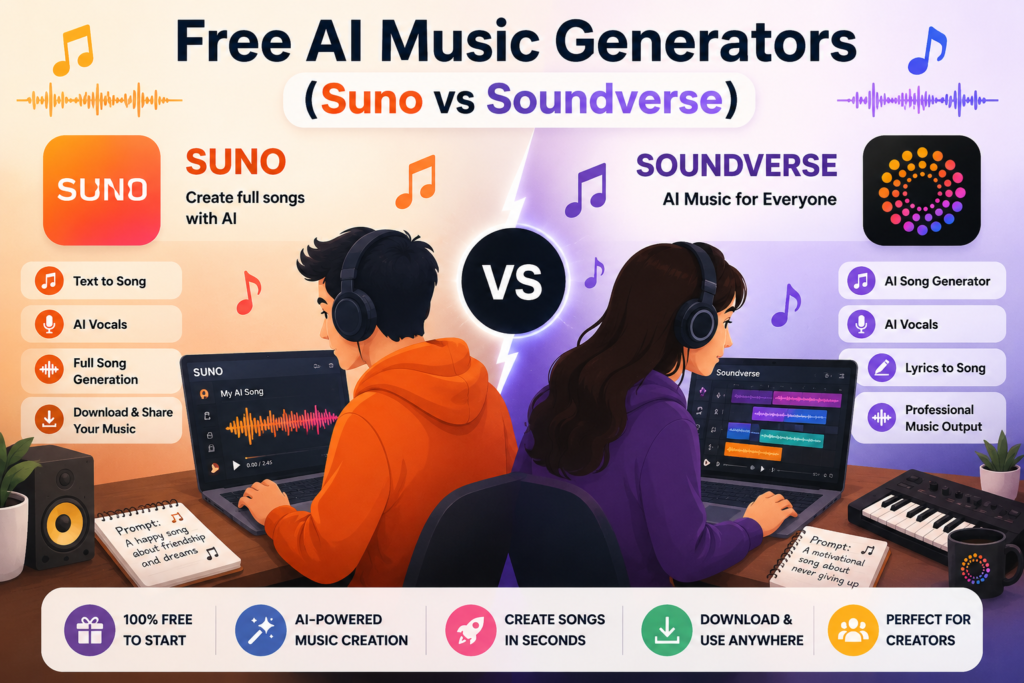
Are you looking for a quick YouTube intro, a background melody for your podcast, or maybe just a song you want to make for fun?
There’s one thing most creators don’t want to deal with after putting a video together: a copyright or Content ID problem because of the music.
That’s one reason AI music generators have become so popular. You describe what you want, let the AI handle most of the work, and you can have a track ready to try without knowing much about music production.
Sounds simple, right?
There’s just one thing to be careful about.
Free doesn’t automatically mean copyright-free or commercially usable.
A free AI music generator may let you create and download music, while still putting restrictions on how you can use that music. Commercial use, monetization, downloads, and ownership can all depend on the plan you’re using.
Two names that come up often when people search for AI music tools in 2026 are Soundverse and Suno.
So, instead of simply saying one is “better,” let’s look at what their free plans actually offer, where the restrictions are, and which one makes more sense for different situations.
What Does “No Copyright” Actually Mean?
Before getting into Soundverse and Suno, there’s something worth clearing up.
When someone searches for “no copyright AI music,” they could actually be looking for several different things.
Maybe they want music that won’t result in a copyright claim on YouTube or another platform.
Maybe they want music they can use in monetized videos.
Or maybe they want to sell the track or use it for a client project.
Those are different things.
Can You Use No-Copyright AI Music Commercially?
For example, an AI-generated track might not trigger a YouTube Content ID claim, but that doesn’t automatically mean you’re allowed to use it in monetized content. The terms of the platform you used still matter.
That’s particularly important with free plans.
Both Soundverse and Suno restrict the use of music created on their free plans for commercial purposes. So you shouldn’t assume that a song you generated for free can later be used in a monetized YouTube video, sold to a client, or used for another money-making project.
For creators, this matters more than it might seem at first.
You could spend hours creating a collection of tracks and only later discover that the plan you used didn’t give you the commercial rights you needed.
What About Copyright Ownership?
The paid plans are different. Both platforms offer paid options that allow commercial use of generated tracks, which we’ll get to below.
There’s another part of the copyright question that’s easy to overlook.
Under U.S. copyright law, material created entirely by AI generally doesn’t receive copyright protection in the same way as work created by a human author. The lack of human authorship can make it difficult to claim exclusive copyright over a completely AI-generated track.
So even if a track doesn’t cause a Content ID problem, that doesn’t automatically mean you own exclusive copyright over the music.
That doesn’t make AI music useless.
It simply means you need to understand the difference between being allowed to use a track and owning exclusive copyright in that track.
With that out of the way, let’s look at the two platforms.
Soundverse Free Plan: More Than Just a Song Generator
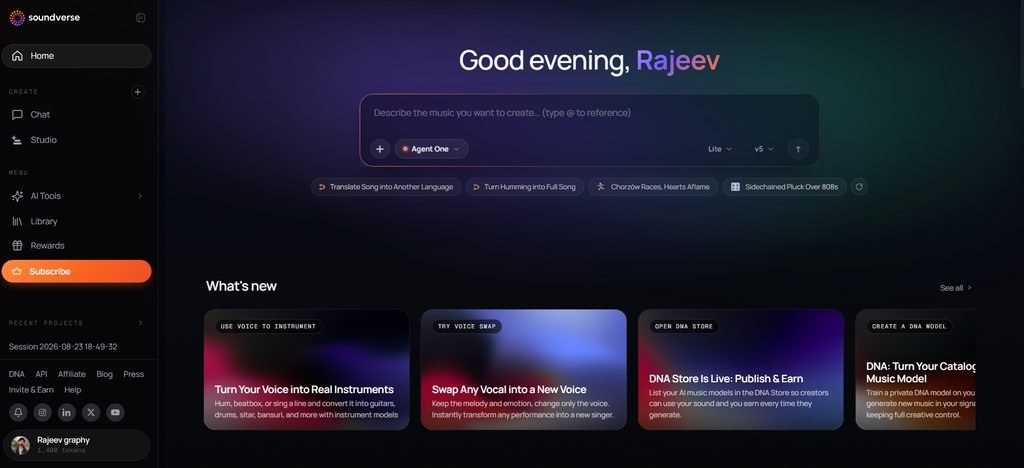
Soundverse takes a slightly different approach to AI music generation.
Instead of focusing only on turning a text prompt into a finished song, it works more like an AI-powered music workspace.
You can use features such as text-to-music generation, stem separation, arrangements, and a conversation-style interface for working with the AI.
That makes Soundverse interesting if you want to do more than simply generate a song and move on.
What Can You Actually Do With the Free Plan?
The free plan is mainly useful for experimenting and getting familiar with the platform.
You get limits on things such as music generation, stem separation, and some other parts of the application. For someone who just wants to test AI music or make something for personal use, that can be enough to get started.
There are two limitations I’d pay attention to.
First, the free plan is intended for non-commercial use.
Second, the export quality is lower than what you get with the paid plans.
Neither is necessarily a problem if you’re experimenting, learning the platform, or making music just for yourself.
But if you’re planning to use the music in a project that makes money, the free plan isn’t the one I’d rely on.
Soundverse also provides information about its approach to AI-generated music through things such as its Ethical AI Music Framework and Soundverse Trace feature.
That may be useful if you’re interested not only in generating music but also in understanding how the platform approaches AI music and its origins.
What Changes With the Creator and Professional Plans?
The paid plans give you access to several features that aren’t available in the same way on the free plan.
Depending on the plan, you can get higher export quality, multilingual support, reference audio, and Arrangement Studio.
Arrangement Studio is probably one of the more interesting additions if you like having some control over the final result.
Instead of simply generating a track and accepting whatever the AI gives you, you have more room to work with the music afterward.
Commercial use of Soundverse tracks is available on the Creator and Professional plans.
Soundverse also recommends adding your own human input to an arrangement. That’s worth keeping in mind if you’re trying to make the final piece more personal or establish human involvement in the work.
How To Try It
If you want to see how Soundverse works for yourself, you can try it here:
Suno: The “Type a Prompt, Get a Song” Experience
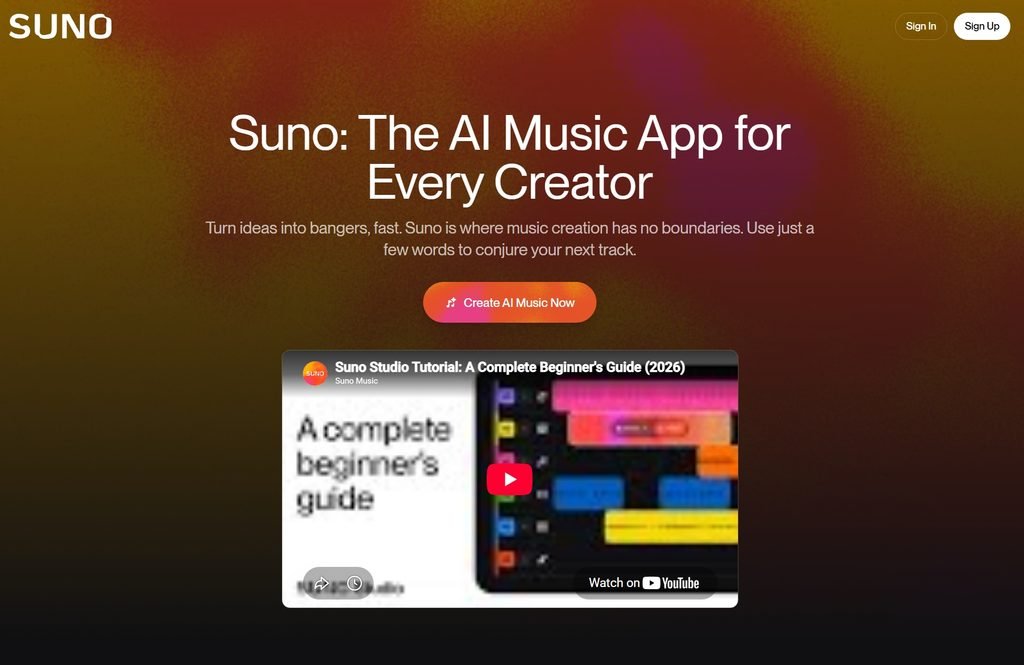
Suno is probably the first name many people think of when AI-generated songs come up.
And it’s easy to see why.
You can describe the type of song you’re looking for, choose a style or mood, and Suno can turn that idea into a complete song without requiring you to know how to produce music yourself.
For someone who just wants to go from idea → song, that simplicity is a big part of the appeal.
What Can You Actually Do With the Free Plan?
Suno’s free plan is primarily aimed at experimentation and personal use.
You get a certain amount of daily song credits, and you can choose things such as the genre and mood for your creations.
If you’re curious about AI music and simply want to see what the technology can produce, that’s enough to get a feel for it.
The problem starts when you want to make money from those tracks.
The free plan is intended for personal use, so you shouldn’t use those tracks in monetized YouTube videos or other commercial content.
There’s another detail that’s easy to miss.
If you create songs while you’re on Suno’s free plan, upgrading later doesn’t automatically give those older songs commercial rights.
What Changes With Pro and Premier Accounts?
Suno’s Pro and Premier plans allow commercial use of your tracks.
That includes things such as monetizing them on YouTube and distributing them through platforms such as Spotify and Apple Music.
Suno handles distribution through a partner, and you aren’t expected to pay Suno additional fees for your streaming royalties and advertising revenue.
There are still some things to keep in mind.
Suno can’t guarantee that copyright will be granted for a particular track. That’s largely connected to the ongoing legal questions around AI-generated music and human authorship.
Suno has also been involved in copyright-related litigation with major record labels. It has settled with Warner Music Group. Other legal and licensing issues around AI music are still developing.
Suno’s terms can change over time. I’d check the latest terms before using a track for an important commercial project.
How To Try It
If you want to experiment with Suno yourself, you can start creating here:
Soundverse vs Suno: Which One Makes More Sense?
So, which one should you choose?
Honestly, it depends on what you’re trying to make.
If you’re mainly interested in the free plans, here’s how I’d look at the two.
Licensing and terms
Soundverse has an advantage when it comes to explaining its limitations and approach to licensing. Its information around what you can and can’t do with the free plan is relatively clear.
Editing and control
This is another area where I’d give Soundverse the edge.
Features such as stem separation and Arrangement Studio make more sense for someone who wants to work on the music after generating it.
If you’re the type of person who likes tweaking a track instead of simply accepting the first version, that extra control can be useful.
Ease of use
Suno wins here for me.
If your main goal is simply to type an idea and get a song, Suno feels more straightforward.
Soundverse is more of a workspace, so there can be a little more to learn if you’re only looking for a quick song generator.
Free plan
Neither platform really designed its free plan for commercial work.
Both work better for personal use and experimentation unless your plan includes commercial rights.
Commercial use
If monetization is important to you, I wouldn’t build a commercial project around either platform’s free plan.
Paid plans are the safer option because they typically give you commercial usage rights.
So, there isn’t one clear winner.
Suno is easier if you want a song quickly. Soundverse makes more sense if you want additional control over the music after generating it.
A Few Things I’d Keep in Mind Before Using Free AI Music
If you’re planning to experiment with either platform, there are a few simple rules that can save you trouble later.
First, check the terms before using a track commercially.
It might seem unnecessary when you’re only making a short intro or background track, but it’s much easier to check the rules before publishing than to deal with a problem afterward.
Second, don’t assume “free” means “free for everything.”
If the free plan is for personal use, keep those tracks for personal projects.
Don’t automatically put them into monetized YouTube videos, sell them to a client, or use them in another commercial project.
Third, if you already know a track will make money, use the appropriate paid plan from the beginning.
That way, you won’t have to wonder later if you can use a track from a free plan commercially.
I’d also keep some record of what you created and what you changed.
For example, if you write your own lyrics, add your own arrangement, or make meaningful edits to the generated track, keep those details somewhere. Human involvement can matter when you’re trying to understand what parts of a finished work may be protectable.
And one final thing: don’t assume that an AI-generated song is automatically immune from Content ID claims.
There’s no universal “AI music = no copyright claim” rule.
The platform’s terms, the music itself, and how you use the track can all matter.
Frequently Asked Questions
No. Soundverse’s free plan has restrictions that prevent its tracks from being used in monetized content.
No. Soundverse’s free plan doesn’t allow you to use its tracks in monetized content.
A song created entirely by AI generally doesn’t receive copyright protection in the same way as a work containing human authorship.
The exact situation can depend on how much human creativity and involvement went into the final work and the laws that apply.
Both are useful, but Suno is generally easier if your main goal is to type a prompt and quickly get a song.
Soundverse is more interesting if you want a broader workspace with additional editing and music-production features.
Suno has been involved in copyright-related litigation with major record labels and has reached a settlement with Warner Music Group. AI music licensing and copyright issues continue to develop, though, so the situation can change.
If you’re planning to use AI-generated music commercially, it’s worth checking the current terms of the platform before you publish or distribute the music.
Conclusion
Soundverse and Suno are both useful starting points if you want to experiment with AI-generated music.
You don’t need traditional music-production skills to get started. You can describe an idea, generate a track, and see where it takes you.
The bigger question is what you plan to do with the music afterward.
If you’re just experimenting, making something for yourself, or learning what AI music can do, either platform can be a good place to start.
But if you’re planning to monetize a YouTube channel, sell music, distribute tracks, or create something for a client, don’t assume the free plan gives you those rights.
Check the licensing terms first and choose the appropriate paid plan if commercial use is important.
For quick and simple song creation, I’d choose Suno.
For more control and editing options, Soundverse is worth a look.
In the end, the best tool isn’t necessarily the one that generates the most impressive song on the first try. It’s the one whose features, licensing terms, and workflow actually fit what you want to do with the music. ya dekhna humain touch haina ai to nhi hai