Grammarly Free vs Pro 2026: Which One Should You Choose?
You are on the Grammarly pricing page, and it is asking you for $12 per month. Your cursor hovers over Create account (free) and Try for free (Pro), and you genuinely cannot tell which button leads to a better life.
Good news: you do not need a writing degree to figure this out. You just need to know what each plan actually gives you, and what it quietly takes away.
This guide breaks down Grammarly Free vs Pro in 2026, using Grammarly’s own published pricing and features, so you can pick a plan without guessing.
A Quick Note on What Changed
Grammarly is not the same tool it was two years ago. The company rebranded to Superhuman in October 2025, folding Grammarly together with Coda, Superhuman Mail, and a new AI assistant called Superhuman Go. The old “Premium” plan also got renamed to “Pro” back in March 2025, with a bigger AI prompt allowance and new team features bolted on.
None of that changes the core question, though. You still just want to know: do you need the free checker, or is the paid version worth it?
What Grammarly Free Actually Gives You
Let’s start with the free plan, because most people should start here anyway.
Grammarly Free costs $0, and it is not a stripped-down demo. It includes real, useful features:
- Spelling, grammar, and punctuation correction – the core function, and it still catches things Microsoft Word misses
- Tone detection-tells you if your email sounds “confident,” “friendly,” or accidentally furious
- 100 AI prompts per month – roughly three or four generative AI requests a day
What Grammarly Pro Adds
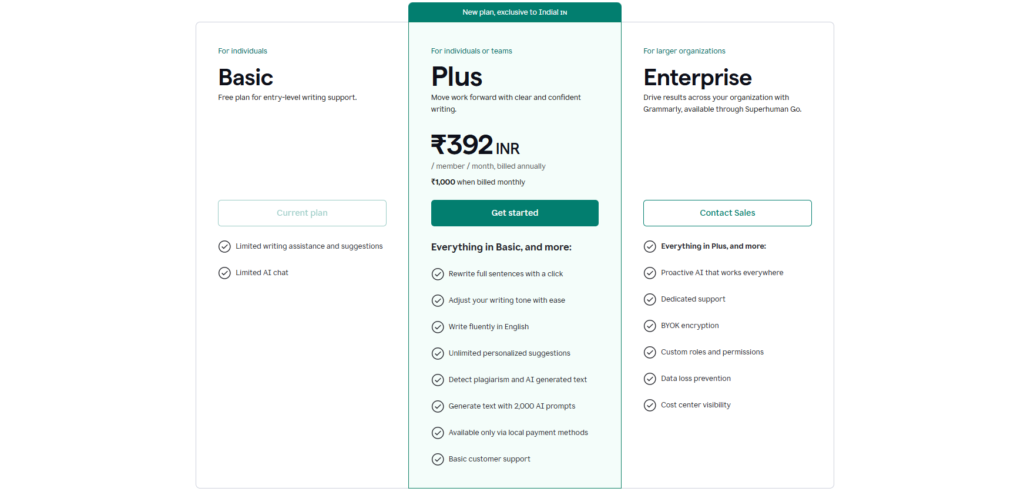
Grammarly Pro costs $12 per member per month on the annual plan, or $30 per month if you pay monthly. That is not a small gap — committing annually roughly saves you more than half.
Pro includes everything in Free, plus:
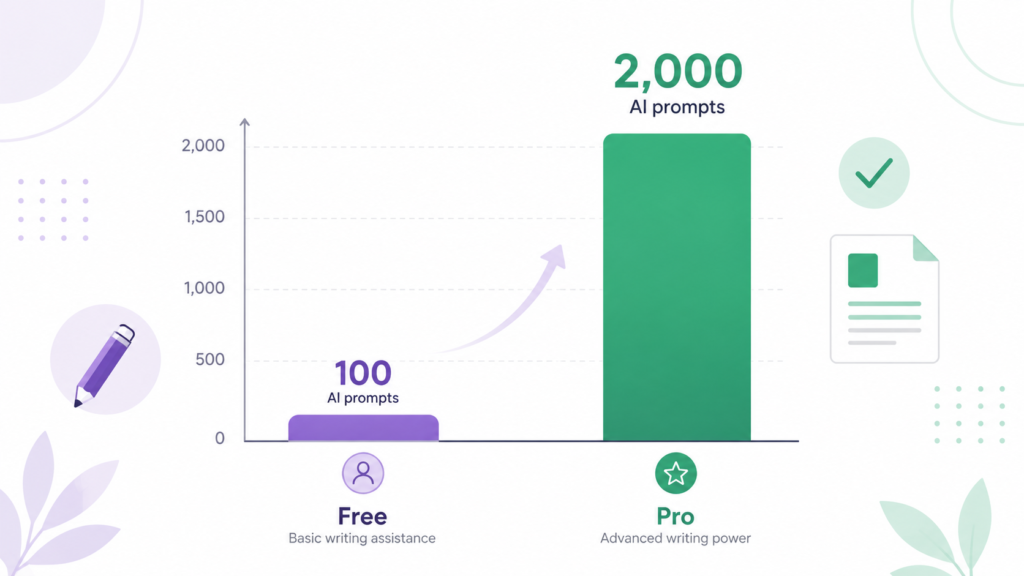
- 2,000 AI prompts per month instead of 100 — a 20x jump
- Full-sentence and paragraph rewrites, not just word-level tweaks
- Plagiarism detection and AI-content detection
- Citation support for keeping references consistent
- Unlimited personalized suggestions and deeper tone adjustment
- Team features for up to 149 seats, including one brand voice profile and one style guide
If you write for a living- client emails, marketing copy, reports that someone else’s paycheck depends on- the jump from 100 to 2,000 AI prompts alone changes how you work. You stop rationing your rewrites like they’re limited-edition sneakers.
Students get a break here too. Grammarly offers discounted education pricing through UNiDAYS and Student Beans, which can knock the effective monthly cost down noticeably on the annual plan.
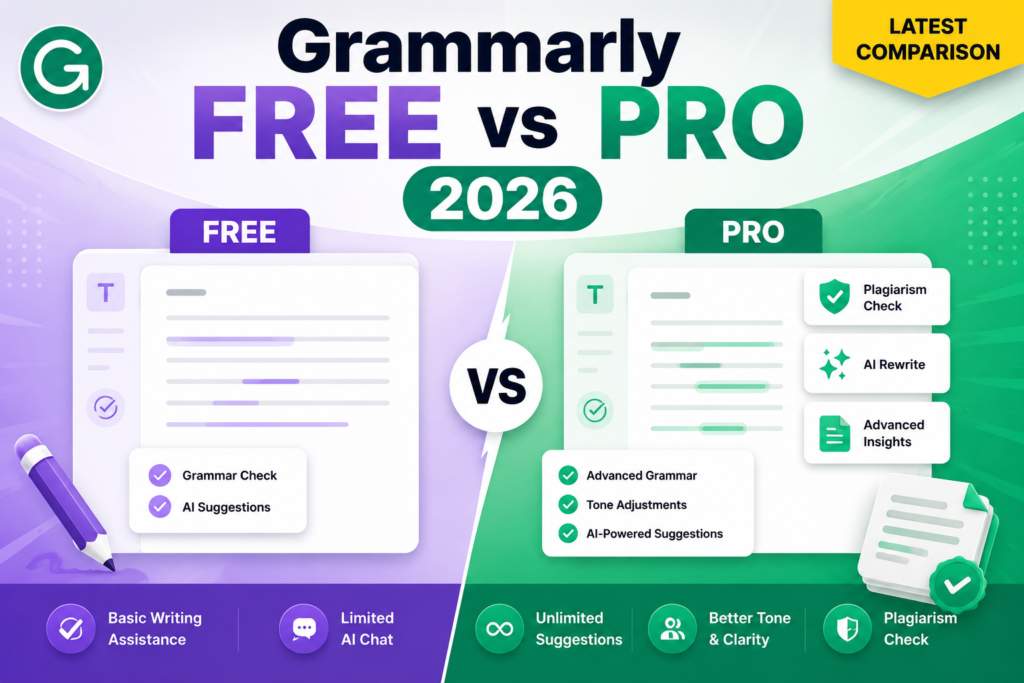
Free vs Pro: The Side-by-Side
Think of it this way. Free is a smoke detector — it warns you when something is wrong. Pro is closer to a full home security system — it warns you, then helps you fix it, then writes the incident report.
| Feature | Free | Pro |
|---|---|---|
| Grammar & spelling check | ✅ Yes | ✅ Yes |
| Tone detection | ✅ Yes | ✅ Yes |
| AI prompts per month | 100 | 2,000 |
| Full-sentence rewrites | ❌ No | ✅ Yes |
| Plagiarism checker | ❌ No | ✅ Yes |
| AI-generated text detection | ❌ No | ✅ Yes |
| Brand tones / Style guide | ❌ No | ✅ Yes (1 each) |
| Team seats | ❌ No | Up to 149 |
| Price | $0 | $12/month (billed annually) |
Who Should Stick With Free
You probably don’t need Pro if:
- You write casually – texts, personal emails, the occasional caption
- Your monthly writing volume is light enough that 100 AI prompts never runs dry
- You already have Microsoft 365, and Copilot or Editor covers your basic grammar needs
- Budget matters more than convenience right now
There is no shame in staying free forever. Plenty of long-time Grammarly users never upgrade, because their writing needs are modest and the free tier quietly does its job in the background.
Who Should Upgrade to Pro
Pro starts earning its keep when your writing has an audience, a client, or a boss attached to it. Consider upgrading if:
- You write professionally, daily, across multiple platforms
- Tone actually matters in your job – sales, leadership, customer support, PR
- You need plagiarism or AI-detection checks for academic or professional integrity
- You manage a small team and want everyone’s writing to sound consistent
- English is not your first language, and you want deeper, context-aware feedback rather than basic spell-check
If you have ever caught yourself rewriting the same sentence five times because it “just doesn’t sound right,” that’s Pro’s full-sentence rewrite feature doing the job you were doing manually, except faster.
The Part Nobody Puts in the Marketing Copy
Grammarly is not without friction, and being fair to you means saying so.
The AI suggestions, particularly generative rewrites, can read a little generic. They will fix your grammar, but they won’t necessarily sound like you. Treat AI rewrites as a first draft of the fix, not gospel — read it, tweak it, make it sound human again.
There is also the matter of trust. In March 2026, Grammarly briefly launched a feature called “Expert Review,” which delivered feedback in the style of real, named writers and journalists without their consent.
It triggered a class-action lawsuit and was pulled within days. The core grammar and tone engine was never part of that controversy, but it is a fair reminder to treat any AI writing tool with a healthy dose of “verify before you trust completely,” especially for anything sensitive or client-facing.
And since Grammarly processes your text on its servers, some regulated industries – law, finance, healthcare — may need to check their compliance policies before rolling it out team-wide, even with Grammarly’s SOC 2 and ISO certifications in place.
So, Which One Should You Actually Pick?
Start free. Genuinely — there is no downside to trying the $0 plan first.
Use it for two or three weeks. Pay attention to two things: how often you run out of AI prompts, and how often you wish it could rewrite a whole paragraph instead of just flagging a comma splice. If either of those happens regularly, Pro will feel less like an upgrade and more like removing a speed bump you didn’t realize was slowing you down.
If you rarely hit the free plan’s limits, save your $144 a year and keep writing exactly as you are.
Grammarly’s core grammar engine remains sharp regardless of which plan you choose. The real decision is about volume and depth — how much you write, and how much polish that writing needs before it reaches someone else’s inbox.
Frequently Asked Questions
Yes. Tone detection is available on the free plan and does not require Pro.
Grammarly Pro includes 2,000 AI prompts per member per month, compared to 100 on the free plan.
Often, yes, especially with education discounts through UNiDAYS or Student Beans, which reduce the annual Pro price. Students who need plagiarism checks and citation support benefit most.
Yes. Grammarly plans are not locked in permanently, and you can upgrade or downgrade based on your current needs.