
How Much Does Replit AI Cost? A Clear 2026 Pricing Breakdown
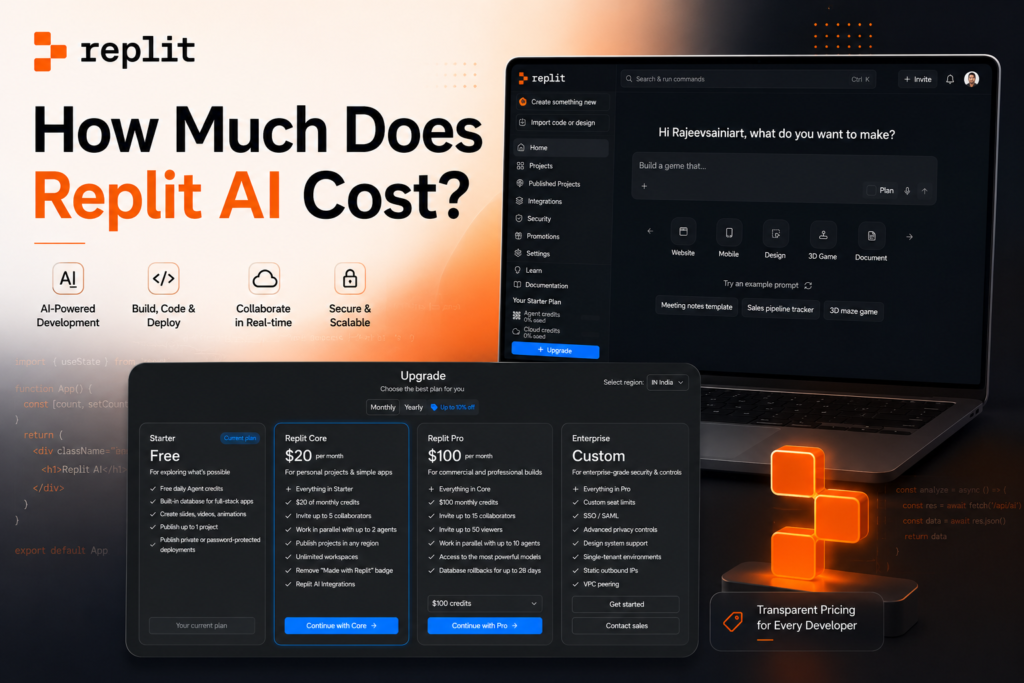
You typed how much does Replit AI cost into Google, and somehow you landed on a maze of credits, checkpoints, and “effort-based pricing Fair warning: Replit’s pricing page looks simple. It is not.
The sticker price is just the entry fee. The real cost lives in how much you actually build. So let’s break it down plan by plan, credit by credit, without the marketing fluff.
What Is Replit AI, Quickly
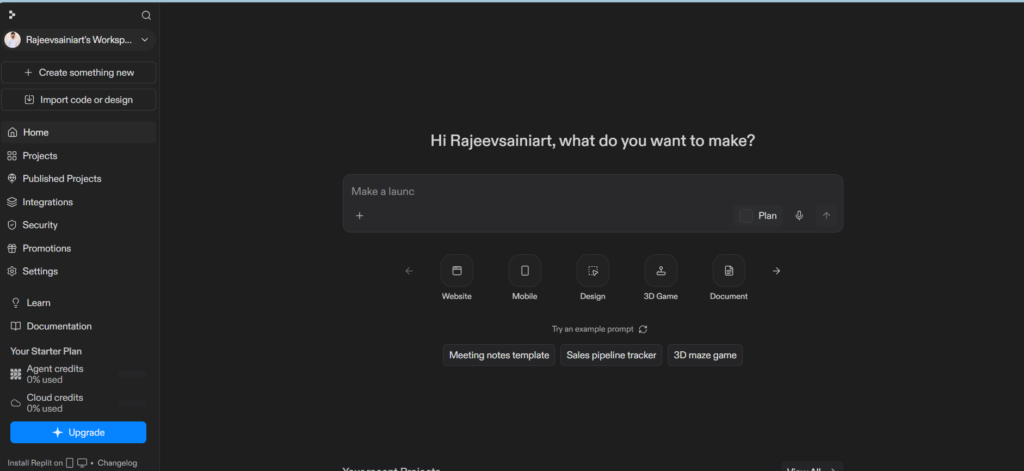
Replit is a browser-based coding platform. You don’t install anything. You open a tab, type a prompt, and Replit’s AI Agent writes the code, builds the database, and deploys the app for you.
It’s part code editor, part AI assistant, part hosting company. That combination is exactly why the pricing gets complicated. You’re not just paying for software. You’re paying for AI compute, storage, and live servers, all bundled into one bill.
Replit AI Pricing Plans at a Glance
As of mid-2026, Replit runs four pricing tiers. Here’s the official breakdown straight from Replit’s pricing page.
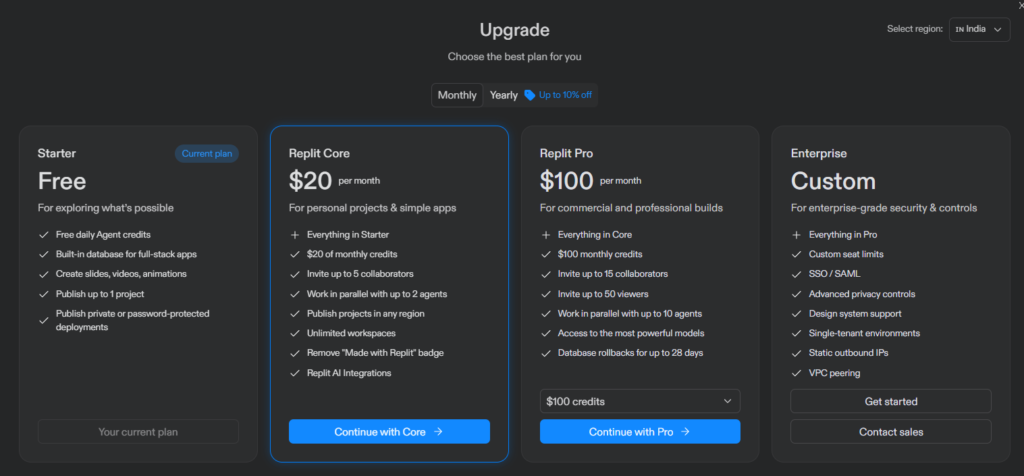
| Plan | Monthly Price | Annual Price (per month) | Included AI Credits | Best For |
|---|---|---|---|---|
| Starter | Free | Free | Limited daily credits | Beginners and hobbyists |
| Core | $25/month | $20/month (billed yearly) | $25 in monthly credits | Solo developers and freelancers |
| Pro | $100/month | $95/month (billed yearly) | $100 in monthly credits | Small teams (up to 15 builders) |
| Enterprise | Custom | Custom | Custom | Large organizations |
Annual billing saves you 20% on Core and 5% on Pro. Not a fortune, but enough to cover a coffee habit for a few months.
Now, let’s actually unpack what each tier gives you, because the price tag alone doesn’t tell the whole story.
Replit Starter: The Free Plan
Starter costs nothing. Zero dollars. It’s Replit’s way of letting you test the waters before committing your credit card.
Here’s what you get:
- Free daily AI Agent credits (the amount resets each day)
- A built-in database for full-stack apps
- The ability to publish one project
- Basic slide, video, and animation creation tools
Sounds generous, right? It is, until you try to build something real. The daily credits run out fast, especially if the Agent hits an error and needs a few tries to fix it. Think of Starter as a test drive, not a daily commute.
Replit Core: The Popular Middle Ground
Core is where most solo developers land. It costs $25 a month, or $20 a month if you pay annually.
What’s included:
- Everything from the Starter plan
- $25 worth of monthly AI credits
- Up to 5 collaborators on a project
- The ability to run two AI agents in parallel
- Unlimited workspaces
- Removal of the “Made with Replit” badge
- Publishing to any global region
Here’s the catch, and it’s an important one. That $25 in credits isn’t a separate perk. It’s your entire budget for AI usage, app hosting, database queries, and outbound data transfer, all pulled from the same pool. Build something with heavy Agent use, and you can burn through that allowance in a couple of weeks.
Once your credits run out, Replit switches you to pay-as-you-go billing. Your card gets charged automatically. There’s no spending cap unless you set one yourself.
Replit Pro: Built for Small Teams
Launched in February 2026, Pro replaced the older Teams plan. It costs $100 a month flat, or $95 a month billed annually, and it supports up to 15 builders under one subscription.
What makes Pro different:
- $100 in monthly credits, shared across the team
- Up to 15 collaborators and 50 viewers
- Run up to 10 AI agents in parallel
- Access to Replit’s most powerful AI models
- Database rollbacks going back 28 days
- Premium, priority support
For a five-person team, that works out to just $20 per person. That’s actually cheaper than five separate Core subscriptions. If you’re running an agency or a small dev team, Pro usually makes more financial sense than stacking individual Core accounts.
Replit Enterprise: Custom Pricing for Big Teams
Enterprise doesn’t have a public price tag. You’ll need to contact Replit’s sales team directly for a quote.
What you get on top of Pro:
- Custom seat limits
- SSO and SAML login
- Advanced privacy controls
- Dedicated support
- Single-tenant environments
- VPC peering and static outbound IPs
- Data warehouse connections
This tier exists for companies with compliance requirements, security audits, and IT departments that ask a lot of pointed questions. If none of that applies to you, you probably don’t need it yet.
The Real Cost Driver: Credits and Effort-Based Billing
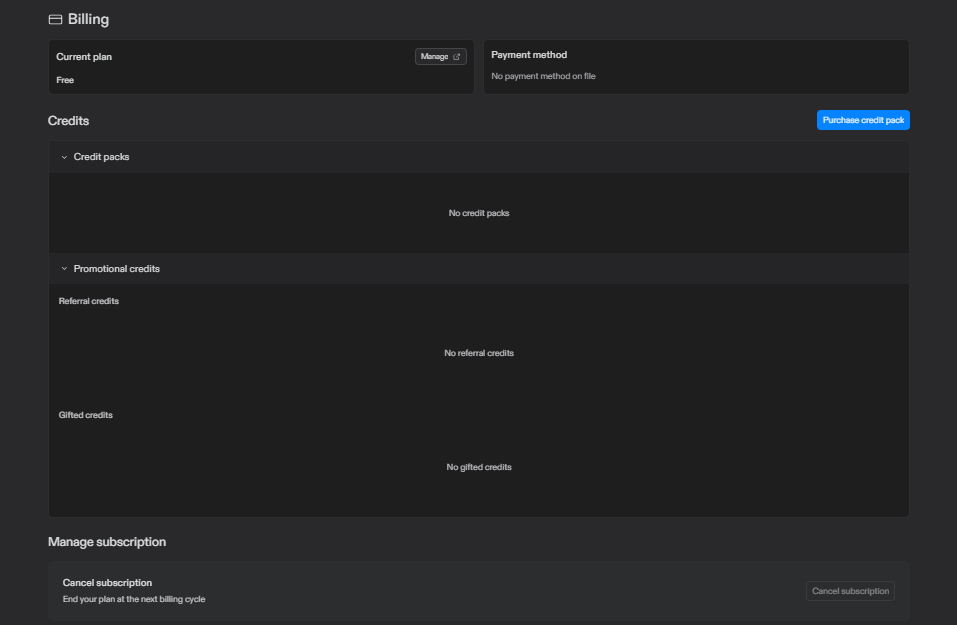
Here’s the part that trips up almost everyone. Replit doesn’t charge a flat fee and call it done. It uses what it calls effort-based pricing.
In plain English: every time the AI Agent does work, whether it writes code, fixes a bug, or just answers a question in Plan Mode, it consumes credits. More complex requests cost more credits. Simple ones cost less. According to Replit’s own billing documentation, this applies even when the Agent doesn’t make any visible code changes.
That means a vague prompt like “improve my UI” can trigger a long, expensive Agent session. A specific prompt like “change the submit button color to blue” costs far less. The lesson here isn’t subtle: be precise, or pay for the AI’s guesswork.
You can also choose between different Agent speed modes, generally described as Economy, Power, and Turbo. Economy uses lighter models and burns credits slowly. Turbo, available on Pro and Enterprise, runs faster and smarter, but chews through credits several times quicker.
Hidden Costs People Don’t See Coming
This is the part your Replit invoice won’t warn you about in advance.
Deployment charges. Publishing an app isn’t free once it’s live. Autoscale deployments, Reserved VMs, and static hosting all pull from your credit pool, and always-on apps keep consuming resources even while you sleep.
Failed operations still cost money. If the Agent tries to fix a bug and fails, or gets stuck mid-task, you’re still charged for that attempt. Independent reviews, including reporting from The Register in july 2026, documented users spending far more than expected during long, looping Agent sessions.
No default spending cap. Unless you manually set a limit in your billing settings, Replit will keep charging your card once your included credits run out. There’s no automatic pause button waiting to save you.
The takeaway isn’t that Replit is a trap. It’s that the subscription price is a starting point, not a ceiling. Treat it like a car lease: the monthly payment is predictable, but gas, tolls, and parking tickets are on you.
How to Keep Your Replit AI Bill Under Control
A little discipline goes a long way here. Try these habits:
- Set a hard spending limit. Go to Settings, then Billing, and cap your monthly spend. This alone prevents most horror-story bills.
- Write specific prompts. Vague requests make the Agent guess, and guessing burns credits.
- Use Lite or Economy mode for small edits. Save Power or Turbo mode for genuinely complex features.
- Check your usage dashboard regularly. Replit shows which projects are draining your credits fastest.
- Pause always-on deployments you’re not actively using. A forgotten test app running 24/7 adds up quietly.
None of this requires technical wizardry. It just requires remembering that Replit’s Agent works like a contractor charging by the hour, not a flat-rate handyman.
Is Replit AI Actually Worth the Cost?
That depends entirely on what you’re building.
If you’re a student or hobbyist experimenting with code, the free Starter plan is genuinely useful. You’ll hit limits fast, but you’ll also learn what the platform can do before spending a dollar.
If you’re a solo developer or freelancer shipping real projects, Core at $25 a month is reasonable, as long as you keep an eye on credit usage and set spending alerts.
If you’re leading a small team, Pro’s flat $100 rate for up to 15 people is one of the more team-friendly pricing structures among AI coding tools right now. Splitting that cost across a team beats paying for individual subscriptions.
Compared to tools like GitHub Copilot, which charges a flat monthly fee per seat, or Cursor, which combines a flat fee with model usage caps, Replit’s effort-based model is less predictable but potentially cheaper for light users and more expensive for heavy ones. There’s no universal winner here. It genuinely comes down to how much you build and how carefully you manage it.
Think about it this way. Copilot works like a gym membership: you pay the same whether you show up once or every day. Replit behaves more like a taxi meter: the fare starts low, but the total depends entirely on the ride. Neither model is wrong. They just suit different habits.
If you plan your projects carefully and ship in focused bursts, the meter works in your favor. If you like to experiment, iterate endlessly, and let the AI “figure it out” through trial and error, a flat-fee tool might save you money in the long run.
Replit AI vs Other AI Coding Tools on Cost
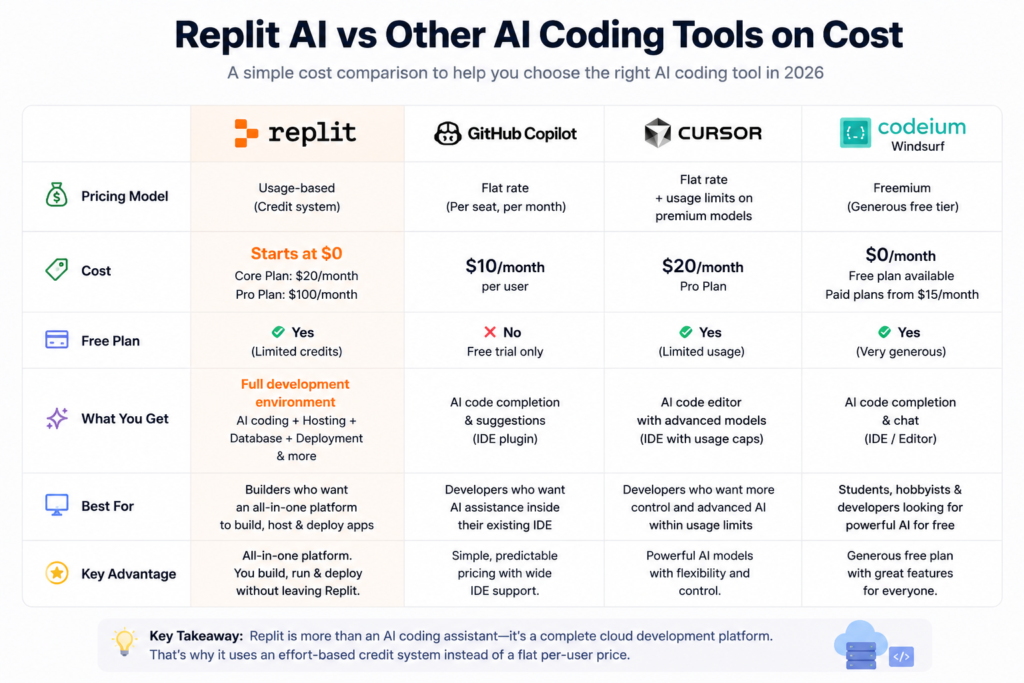
It helps to see Replit’s pricing next to its closest competitors, because a number alone rarely tells the full story.
GitHub Copilot charges a predictable flat rate per seat, which makes budgeting simple but limits how deeply the AI can act on its own. Cursor combines a flat subscription with usage caps on premium models, giving you more control but less flexibility once you hit those caps. Codeium’s Windsurf editor leans on a generous free tier, which appeals to students and hobbyists who want capable AI without a monthly bill.
Replit sits apart from all three because it isn’t only an AI coding assistant. It also hosts your app, runs your database, and manages deployment. You’re not really comparing apples to apples when you stack Replit against a pure code-completion plugin. You’re comparing a full development environment to a single feature.
That distinction explains the effort-based credit system. Replit isn’t only paying for AI inference. It’s also paying for the servers running your live app around the clock. Bundling all of that into one flat fee for every user, regardless of how much they build or deploy, wouldn’t hold up financially for the company, and it would overcharge light users to subsidize heavy ones.
Frequently Asked Questions
Yes. The Starter plan costs nothing and includes limited daily AI credits along with the ability to publish one project.
Replit Core, at $25 a month, or $20 a month if you pay annually.
Yes. You can set a hard monthly spending cap in your billing settings so charges stop once you hit your limit.
On Core, unused credits generally expire at the end of the billing cycle. Pro plan credits can roll over for one additional month.
If you have several active builders, Pro’s flat $100/month rate for up to 15 people usually costs less than paying for multiple Core subscriptions individually.
Final Thoughts
Replit AI’s pricing isn’t complicated because Replit wants to confuse you. It’s complicated because AI compute genuinely costs money, and Replit is passing that cost through in a usage-based way instead of hiding it in a higher flat fee.
The plan you choose matters less than how you use it. Set a spending cap on day one. Write clear prompts. Check your usage dashboard the way you’d check your bank balance. Do that, and Replit AI becomes a predictable, useful tool instead of a surprise charge on your statement.
Pricing details in this article reflect Replit’s official pricing page as of July 2026. Since AI platform pricing changes frequently, always confirm current rates directly on replit.com/pricing before subscribing.